

Stop charging one flat rate for every order.
WooCommerce’s built-in Flat Rate shipping treats a 100 g sticker and a 15 kg box the same way. Flexible Shipping fixes that by letting you write your own rules — charge by weight, by cart total, by quantity, or a mix of all three — so the customer always pays a fair, predictable shipping cost.
This guide covers the whole plugin end to end: installation, shipping zones, every rule type, free shipping, and how to verify the price actually shows up at checkout.
What Flexible Shipping actually is
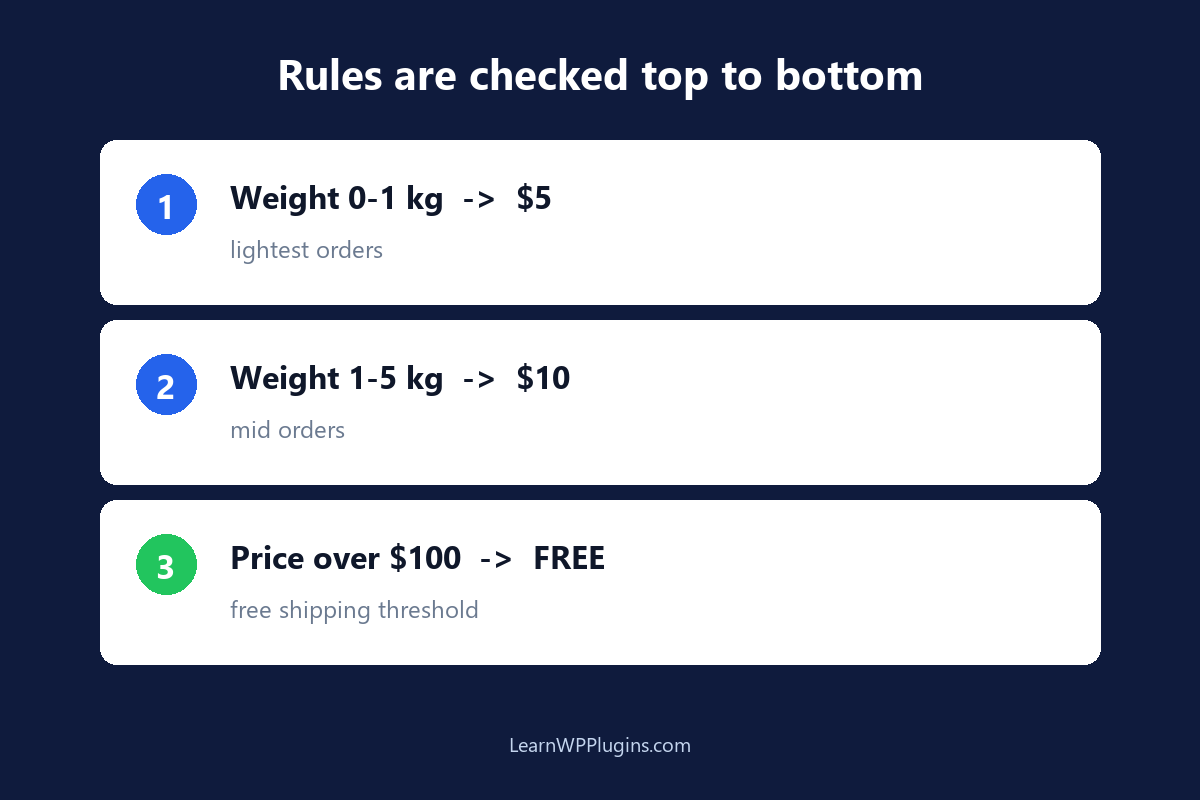
Flexible Shipping is a free WooCommerce plugin by Octolize that adds a smarter shipping method. Instead of one fixed amount, you build a table of rules. When a customer reaches checkout, the plugin walks down your rules from top to bottom and applies the first rule that matches. That rule decides the shipping cost.
The free version lets you write rules based on three things: weight, cart total (price), and quantity. The PRO version extends this to products, categories, user roles, and more. For most stores, the free version is enough.
Install and prerequisites
- Go to Plugins → Add New and search for “Flexible Shipping”.
- Install and activate it. No API keys or accounts are needed.
- Make sure your WooCommerce products have a weight set (WooCommerce → Settings → Products, and a weight on each product). Weight-based rules are useless if products weigh 0.
Shipping zones: the geography layer
Before any rule, you need a zone that decides where a rule applies. Zones live at WooCommerce → Settings → Shipping.
How zones work
- Each zone covers a region: a country, a state, or a set of postcodes.
- Zones are matched top to bottom — the first zone that matches the customer’s address wins.
- Create a “Rest of the World” zone last as a catch-all, otherwise some customers will see “no shipping options”.
A simple zone setup
| Zone | Region | Purpose |
|---|---|---|
| Domestic | Your country | Cheapest rates |
| Europe | EU countries | Mid rates |
| Rest of the World | Everywhere else | Catch-all |
Add the Flexible Shipping method
- Inside a zone, click Add shipping method and choose Flexible Shipping.
- Give it a title the customer sees at checkout, for example “Standard Shipping”.
- Click into the method to open the rule table — this is where the real work happens.
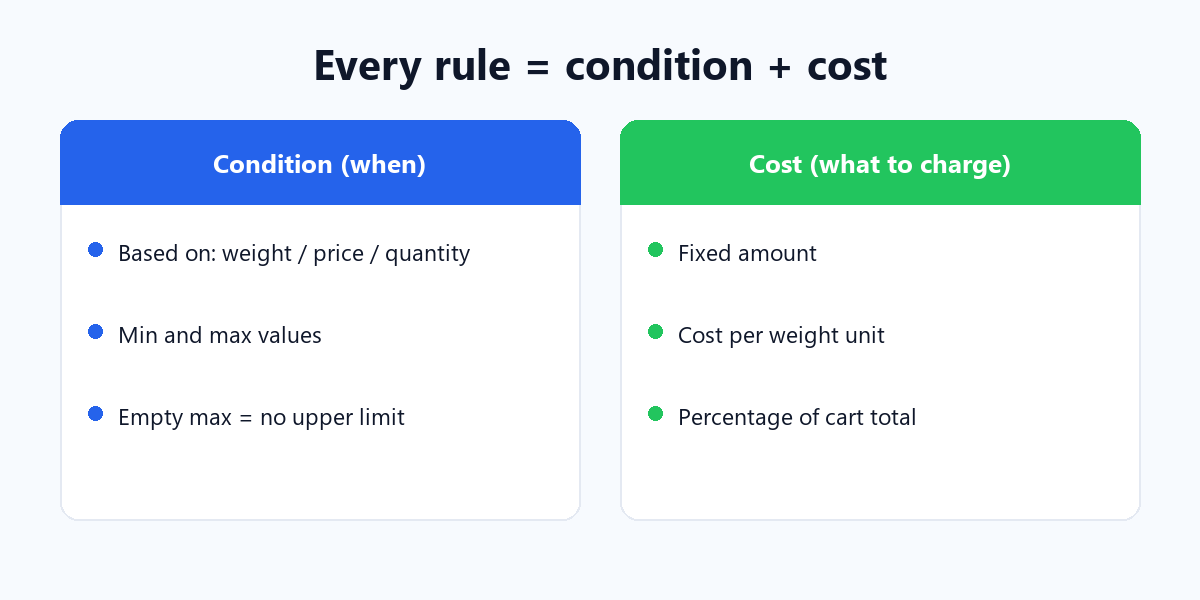
The rule anatomy: what each rule is made of
Every rule has two halves: a condition (when the rule applies) and a cost (what to charge).
The condition
Pick what to base the rule on — weight, price, or quantity — then set a minimum and maximum for that value. Leave a field empty to mean “no limit”.
The cost
The free version supports three cost types:
- Fixed cost — a flat amount, e.g. $5 no matter what.
- Cost per weight unit — multiply a rate by the total cart weight, e.g. $2 per kg.
- Percentage — a percentage of the cart total, e.g. 5% of the order value.
Weight-based rules
The most common setup. You charge more as the package gets heavier. Here is a realistic domestic table.
| Rule | Based on | Min | Max | Cost |
|---|---|---|---|---|
| 1 | Weight | 0 | 1 kg | $5 |
| 2 | Weight | 1.01 kg | 5 kg | $10 |
| 3 | Weight | 5.01 kg | 10 kg | $18 |
| 4 | Weight | 10.01 kg | (empty) | $25 |
Rule 4 has no maximum, so it catches everything above 10 kg. That empty maximum is your safety net — never leave the top of the table open by mistake.
Price-based rules (based on cart total)
You can also charge based on how much the customer is spending. A classic pattern: small orders pay more, large orders pay less or nothing.
| Rule | Based on | Min | Max | Cost |
|---|---|---|---|---|
| 1 | Price | 0 | $49.99 | $8 |
| 2 | Price | $50 | $99.99 | $4 |
| 3 | Price | $100 | (empty) | 0 (free) |
That third rule is the classic “free shipping over $100” — the cost is simply set to 0.
Complex weight rules: cost per weight unit
Flat brackets are fine when you have a few tiers. But when you want a truly linear price — say, a straight $2.50 per kilogram — you use the cost per weight unit type.
- Add a rule based on Weight with a minimum of 0 and no maximum.
- Choose Cost per weight unit and enter 2.50.
A 3.2 kg cart then costs 3.2 × 2.50 = $8.00. You can combine this with a minimum charge so tiny orders are not under-priced, or stack a fixed handling fee on top where the plugin supports it.
Free shipping (包邮)
There are two clean ways to offer free shipping with Flexible Shipping:
- Threshold rule — a price-based rule with a cost of 0, like “$100 and up = free” in the example above.
- Weight rule at 0 — a weight rule under your cheapest bracket with a 0 cost, if you want light items to ship free.
Make sure the free rule sits above the paid rules in the table. Because the first match wins, a “free over $100” rule must be checked before a “$4 for $50–$99” rule for the logic to work.
Verify the shipping price in checkout
The plugin only proves itself at checkout. Test it like a customer:
- Add a product to the cart and open the Cart page.
- Enter a shipping address that falls inside one of your zones.
- Check the shipping total matches your rule.
- Change the quantity to cross a weight or price threshold and confirm the price changes.
Common mistakes that break the rules
- Products with no weight. Weight rules read 0 for them, so they fall into the cheapest bracket.
- Overlapping or out-of-order rules. A broad rule placed first shadows everything below it.
- No catch-all. A missing final rule leaves the top of the range unhandled.
- Wrong weight unit. Writing kg rules when the store is set to lb throws every number off.
Set it once, ship with confidence
Flexible Shipping turns the vague flat-rate problem into an explicit, testable rule table. Nail the zones first, write weight or price rules that match how you actually ship, add a free-shipping threshold, and verify it in a real checkout. After that, every order is charged correctly without you thinking about it.
For more WooCommerce setup that pairs with your shipping — payment gateways, checkout, and store configuration — our WordPress plugin tutorials walk through the full stack. Get the shipping right, and the rest of the store gets easier.